
Propagating Chat Messages in a Multi-Instance Environment: Redis Pub/Sub
- Published on
Junyoung Yang
While building UniSchedule - a schedule management service for university students as the final Kakao Tech Campus project, we implemented not only team schedule management but also a chat feature so team members could communicate.
In the initial single-instance environment, such as local development or a test server, sending chat messages worked naturally. But in the production AWS ECS/Fargate environment, there were multiple instances, and the problem appeared there. Users could be connected to different server instances, and in that case, a chat message created on one instance was not delivered to users connected to another instance.
To solve this problem, I applied Redis Pub/Sub.
Existing implementation
To implement the team chat feature, I used a simple WebSocket setup in Spring Boot.
Single-instance Test
In a single-instance environment, such as local development or a test server, there was no problem.
The basic chat flow was:
- A user connects to the server through WebSocket.
- The user sends a message.
- The server receives the message.
- The server delivers the message to users in the same chat room.
In a single instance, every WebSocket connection is attached to the same server, so this flow works without any issue.
However, this structure could not be used as-is in the production environment made of multiple instances on AWS ECS.
Multi-instance Problem
In a multi-instance environment, the following situation can happen.
- User A is connected to instance 1.
- User B is connected to instance 2.
- User A sends a message.
- Instance 1 processes the message.
- Instance 2 does not know that the message happened.
In this case, the message is delivered only to users connected to instance 1, and users connected to instance 2 cannot see it.
So even though users are in the same chat room, it can look like only some users are exchanging messages.
Approach
To solve this, I introduced Redis Pub/Sub.
I also considered sharing chat data between instances through the database. But querying the database every time just to propagate messages looked too heavy. So using Redis Pub/Sub to notify instances that a new message had happened looked simpler and more appropriate.
I also wrote this decision down as an ADR and shared it with the team.
What is Redis Pub/Sub?
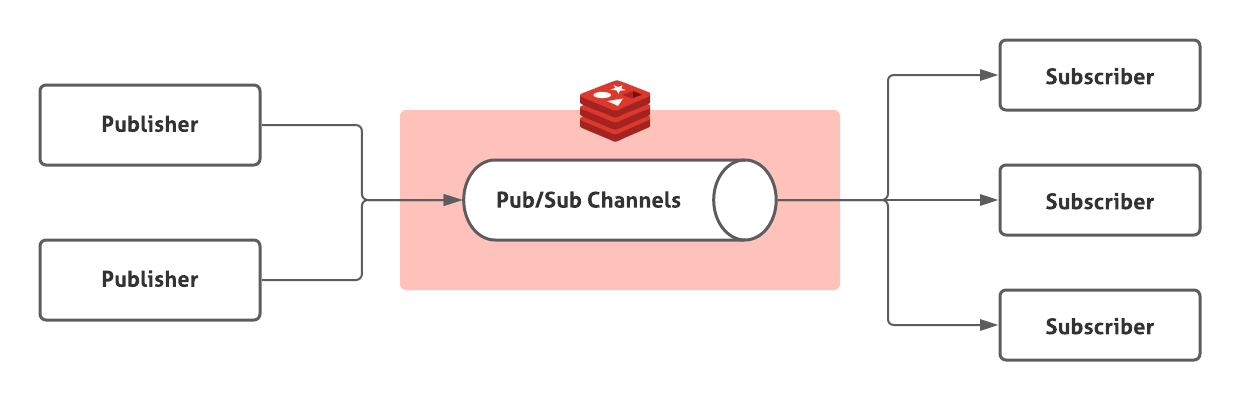
Redis Pub/Sub is a pattern where messages are published to a channel and delivered to clients subscribed to that channel. A publisher sends a message to a channel, and subscribers of that channel receive it.
Implementation
After applying Redis Pub/Sub, the flow became:
- A user sends a message.
- The instance that receives the message publishes it to a Redis channel. All instances are already subscribed to that channel.
- Each instance receives the message from the channel and delivers it to the users connected to itself.
sequenceDiagram
    participant ClientA as Client A (Server 1)
    participant Server1 as Backend (Instance 1)
    participant Redis as Redis (Pub/Sub)
    participant Server2 as Backend (Instance 2)
    participant ClientB as Client B (Server 2)

    ClientA ->> Server1: 1. WebSocket connection (Team ID: 123)
    Server1 -->> ClientA: Connection accepted
    ClientB ->> Server2: 2. WebSocket connection (Team ID: 123)
    Server2 -->> ClientB: Connection accepted

    Note over Server1,Server2: Subscribe to `team:chat:123` channel (ChatMessageListener)

    ClientA ->> Server1: 3. Send message
    Server1 ->> Server1: 4. (ChatService) Save message to DB
    Server1 ->> Redis: 5. (MessageBrokerService) <br /> PUBLISH `team:chat:123`

    Redis -->> Server1: 6. (Listener) Receive message
    Redis -->> Server2: 6. (Listener) Receive message

    Server1 ->> ClientA: 7. (Handler) Broadcast message
    Server2 ->> ClientB: 7. (Handler) Broadcast message
With this structure, a message created on one instance could also be delivered to other instances.
Points Checked
Redis Pub/Sub is simple and fast for event propagation, but it is not a queue that stores messages permanently. It should not be expected to redeliver messages later to instances that were not subscribed or connections that were disconnected.
So in UniSchedule, I did not treat Pub/Sub as the original storage for chat messages. The message itself was saved to the database, and Pub/Sub was used only as a real-time channel for each instance to know that a new message had occurred. When a user reconnects or needs to load previous messages again, the database should be the source for recovery.
Takeaway
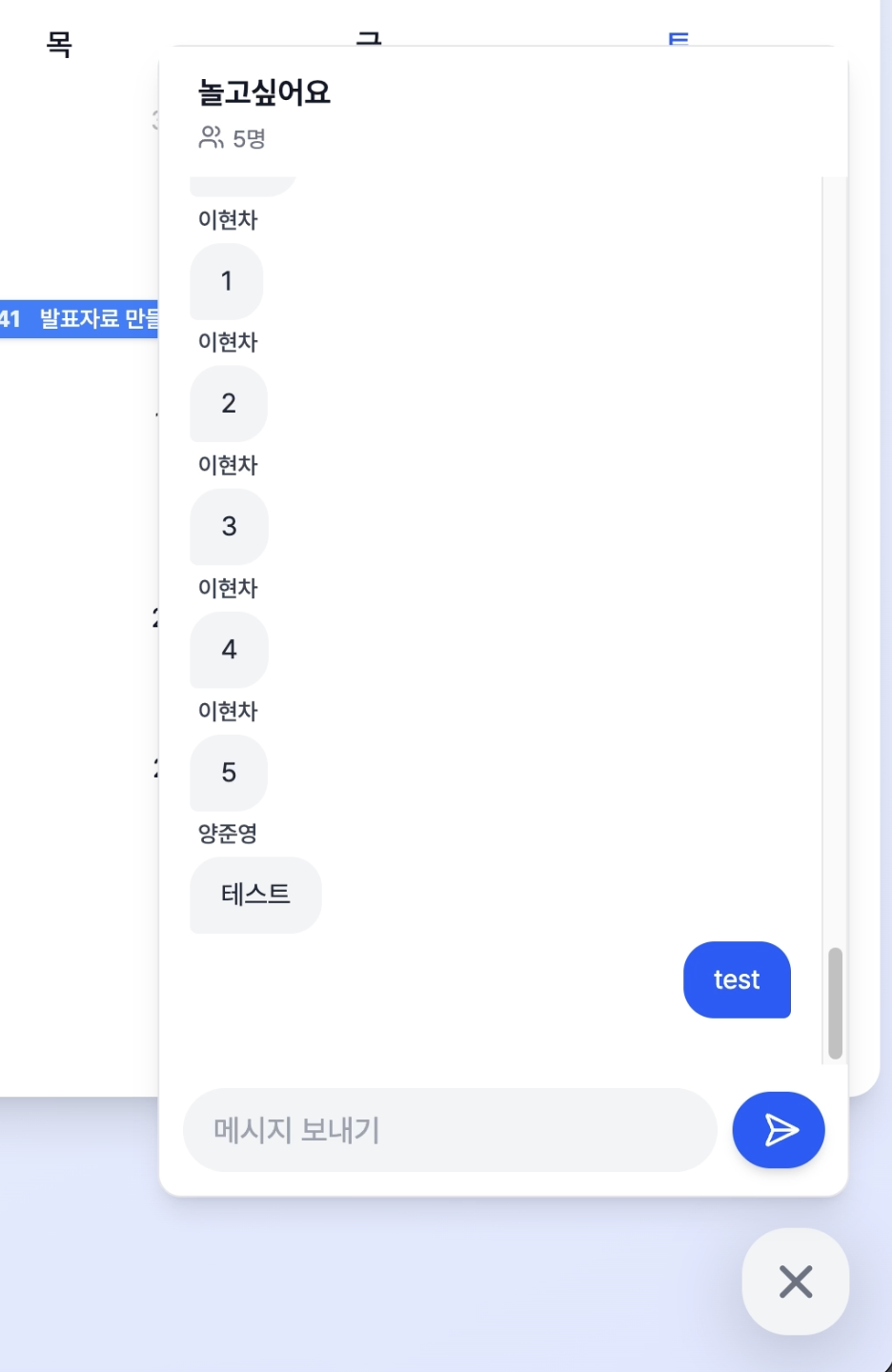
After experiencing the chat message propagation problem in UniSchedule, I started seeing server scaling as more than increasing processing capacity. Once there are multiple servers, I also need to think about how events are delivered and where state should live.
A flow that works naturally in a single instance can drift in a multi-instance environment. After this, I started thinking about multi-instance behavior earlier in the design stage.